Project notes / Cynthia Owolabi
LedgerDesk
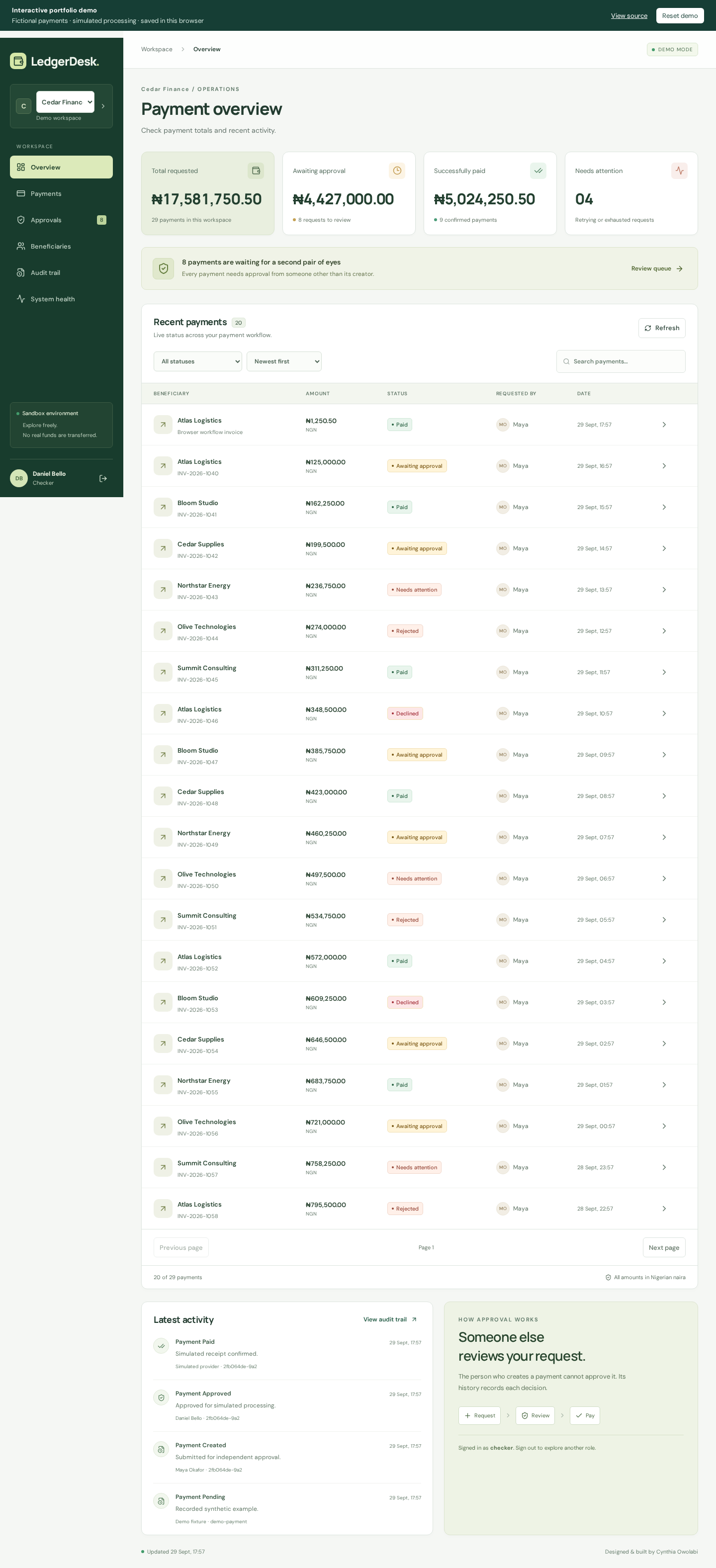
The provider has accepted a payment, but the response never arrives. The operator sees a timeout. I built LedgerDesk around what happens next: checking for the original transfer before anyone tries to pay again.
The payment workflow
One person creates a payment and another approves it. After submission, the backend records each processing attempt so an operator can see what happened. A worker can stop at any point, including while the provider is accepting a transfer.
The public preview simulates this workflow in your browser. To exercise the database and HTTP provider, run the backend locally.
A timeout goes to reconciliation
Approval commits the payment change, audit event and due job in one
PostgreSQL transaction. Workers claim with
FOR UPDATE SKIP LOCKED and perform network calls outside
the transaction. An ambiguous provider response moves the payment into
reconciliation.
- The provider accepts the transfer and persists its receipt.
- The response times out. The worker records an uncertain outcome.
- A subsequent worker looks up the original transfer before submitting again.
- An authoritative missing result permits another submit using the same provider idempotency key. An existing receipt confirms the original payment.
Handling an interrupted worker
A retry needs the original provider idempotency key, even if a different worker takes over. The previous worker may still finish its network call after losing its claim. LedgerDesk checks ownership and expiry before accepting local writes; the provider key prevents duplicate transfers when calls overlap. Network requests may still happen more than once.
Expired claims enter reconciliation even when the interrupted worker never recorded an outcome. Signed callbacks verify original request bytes and deduplicate event IDs; terminal results remain unchanged when stale events arrive.
Try a lost response
Open the demo and enter the operations workspace. Under System health, set Simulator behavior to the acceptance-timeout option. Open Approvals, select the pending Atlas Logistics payment (INV-2026-1040) and approve it. Its state moves through Confirming outcome to Paid, and its history shows the lookup. For actual network evidence, run the repository’s provider integration test using the installation guide below.
Tests and a query measurement
- Provider restart test: HTTP acceptance timeout followed by restart reconciles to one durable transfer.
- Domain tests: concurrent claims, expired leases, stale completions, independent approval and transactional rollback.
- Trace continuity: approval, timeout and reconciliation retain a shared trace.
- Recorded query experiment: 20 rows from a 10,000-payment fixture in approximately 5.16 ms, returning 10,048 bytes. Measured in one warm local run.
Run it locally
Installation and PostgreSQL setup · Architecture and state transitions
Demo setup
The provider simulator records fictional transfers in its own receipt store. Configure external receivers for email delivery and audit export. The measurements come from this project's local tests.